


In the last lesson, we went through what Google actually does and doesn’t pay attention to inside a sitemap. The short answer was that priority and changefreq are ignored, lastmod is used when it’s honest, and loc carries the foundational job of telling search engines that URLs exist.
That lesson was about the limits of two specific elements. This one zooms out. It’s the closer of Module One, and the question it answers is broader. What can a sitemap actually do for your site, and just as importantly, what can’t it do? Because most of the bad SEO advice about sitemaps comes from people overstating what sitemaps accomplish, not from people understating it.
By the end of this lesson, you should know not just what sitemaps are for, but where they stop. That distinction matters because it determines where your energy goes. If you understand the limits, you stop wasting effort on things the sitemap can’t fix and focus that energy where it actually helps.
What a sitemap actually does
Before we get to the limits, it’s worth restating what sitemaps do accomplish, because the limits make more sense with the achievements clearly in mind.
A sitemap helps search engines discover URLs on your site that they might otherwise miss, especially URLs that aren’t well-linked from your navigation or content. A sitemap helps with crawl efficiency by giving search engines a hint about which URLs to check and when, via lastmod. A sitemap gives you diagnostic visibility through Search Console once submitted, so you can see which URLs were indexed, which weren’t, and why. And a sitemap acts as a record of the URLs you consider important enough to communicate to search engines, which helps with consistency across crawlers (including Bing, Yandex, and the newer AI crawlers we touched on in the last lesson).
Those four things are the real job. Every benefit a sitemap provides comes from one of those four. Anything beyond them belongs in the next section.
What a sitemap doesn’t do
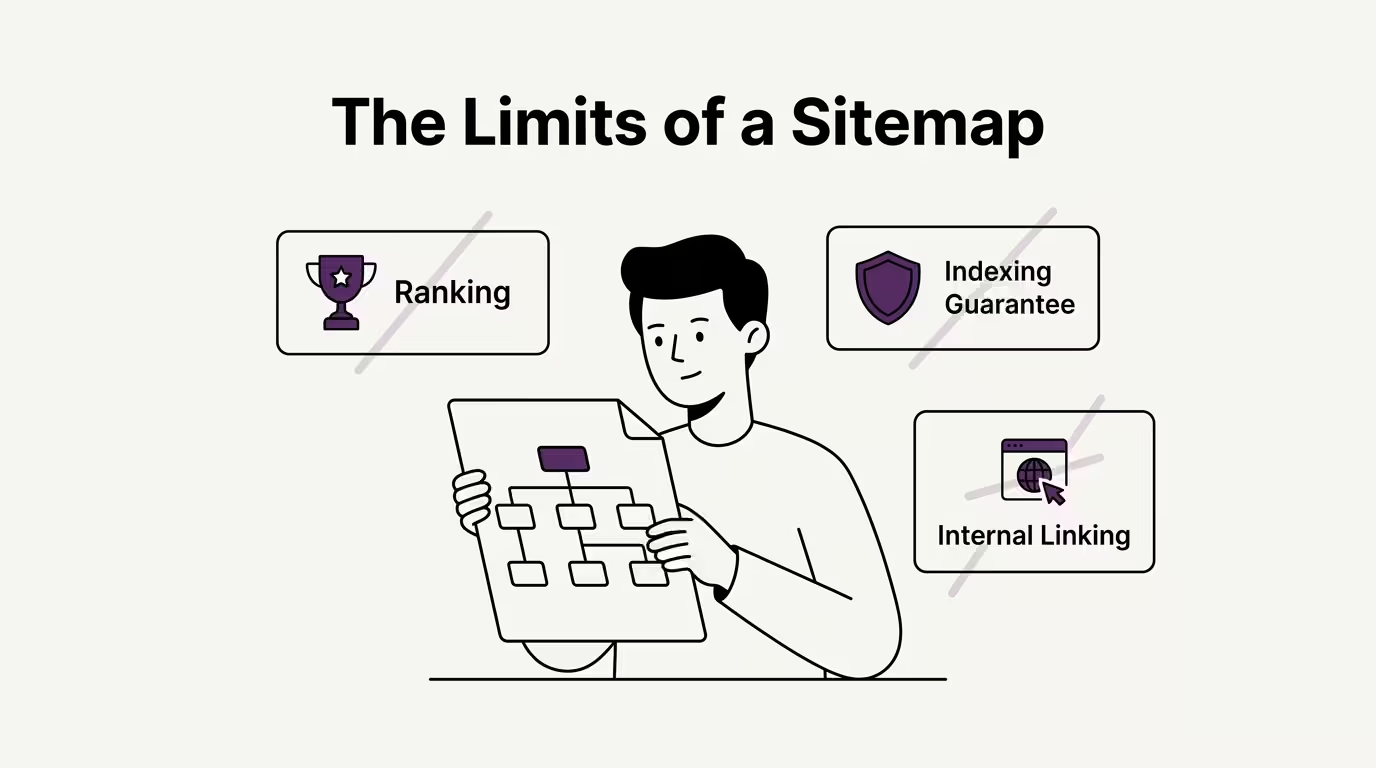
There are five common misconceptions about sitemaps that quietly hold site owners back. Each one is worth retiring properly before we close Module One.
1. A sitemap doesn’t guarantee indexing
This is the most important misconception to retire, because it’s the most pervasive. Submitting a URL in a sitemap tells Google the URL exists. It doesn’t force Google to index the URL. Indexing is a separate decision Google makes based on its own quality signals, including content quality, page authority, the existence of canonical alternatives, technical signals like noindex meta tags, and dozens of other factors that have nothing to do with whether the URL is in your sitemap.
In practice, this means you can have a sitemap with 500 URLs and only 300 of them indexed. The other 200 are known to Google (because the sitemap told Google about them), but Google has decided not to include them in the index. Your sitemap did its job by surfacing the URLs. Whether each URL is good enough to actually appear in search results is a separate conversation.
We covered this briefly in Lesson 1: What is a Sitemap, but it’s worth reinforcing here because the misconception is genuinely costly. Site owners who think sitemaps guarantee indexing will keep adding URLs to their sitemaps in the hope of forcing Google to include them. It doesn’t work, and the effort goes nowhere.
2. A sitemap doesn’t improve rankings
The second misconception is that having a sitemap helps your pages rank higher. It doesn’t, directly. Sitemaps are about discovery (helping search engines find your pages), not about ranking (deciding where those pages appear in search results once they’re found).
The confusion often comes from this. Improved discoverability can lead to indirect ranking improvements. If Google didn’t know a page existed before you submitted a sitemap and now it does, the page can start ranking for queries it couldn’t rank for previously, because it wasn’t indexed. That’s a real effect, but it’s about going from “not indexed” to “indexed”, not about going from “indexed at position 15” to “indexed at position 5”.
If your pages are already indexed and you’re trying to improve their rankings, your sitemap isn’t the lever to pull. The ranking levers are content quality, internal linking, page experience, backlinks, and a hundred other things. The sitemap helped get those pages into Google’s index. From that point on, it’s done its job.
3. A sitemap doesn’t override robots.txt or noindex
We covered this partially in Lesson 4: Sitemmaps vs Robots.txt, but it’s worth restating in the limits context. A URL in your sitemap that’s blocked by robots.txt won’t get crawled. A URL in your sitemap that has a noindex meta tag won’t get indexed. The sitemap is an invitation. The other signals are restrictions, and the restrictions win.
This produces some of the most frustrating Technical SEO bugs in practice. Site owner adds a URL to the sitemap, expects Google to crawl and index it, and nothing happens. The cause is often that the URL is blocked elsewhere on the site (in robots.txt) or has a directive on the page itself (noindex) that overrides the sitemap’s intent. Listing a URL in your sitemap doesn’t lift those restrictions. It just adds the URL to the discovery layer. Everything else has to be aligned for the URL to actually appear in search results.
4. A sitemap doesn’t replace good navigation and internal linking
The fourth misconception is more subtle. Some site owners treat the sitemap as a substitute for proper internal linking, on the theory that “Google will find everything from the sitemap, so we don’t need to worry about navigation.”
This misses how Google actually discovers and weights content. Internal links between your own pages do two things a sitemap doesn’t. First, they pass authority between pages, signalling to Google which pages on your site are most connected to the rest of your content. Second, they give Google a topical structure for your site, helping it understand how pages relate to each other and which topics you cover in depth. A sitemap provides a flat list of URLs with no relationships between them. Internal links provide the structure that the sitemap can’t replicate.
If your site has pages that are listed in the sitemap but linked from nowhere else (often called orphan pages), those pages will struggle to rank no matter how prominent their sitemap position. Sitemaps and internal linking work alongside each other. Neither is a substitute for the other.
5. A sitemap doesn’t fix underlying content or technical problems
The fifth misconception is the broadest one. A sitemap doesn’t fix problems that have nothing to do with discovery. If your content is thin, duplicate, or doesn’t match search intent, the sitemap won’t fix that. If your page load speed is poor, the sitemap won’t fix that. If your site has technical issues like broken canonical tags, crawl errors, or render-blocking JavaScript, the sitemap won’t fix any of them.
The sitemap is one layer of the Technical SEO stack. It does the discovery layer well. Every other layer (content quality, page experience, structural cleanliness, link profile, schema markup, and so on) has its own work to do, and the sitemap can’t substitute for any of them.
Site owners who treat the sitemap as their primary SEO tool tend to spend a lot of effort on something that, in isolation, can only get them so far. The sitemap matters, but only as one piece of a much larger picture.
What sitemaps work alongside
If sitemaps don’t do all of the above, what do they work alongside?
Internal linking gives your site structure and passes authority between pages. The sitemap doesn’t replace it. Content quality determines whether indexed pages actually rank for the queries you care about. The sitemap doesn’t replace it. Technical SEO health (canonical tags, schema markup, page experience, crawl errors) determines whether the URLs in your sitemap actually behave correctly when search engines visit them. The sitemap doesn’t replace any of it.
The framing that helps me think about this clearly is the address book one. A sitemap is the address book your site hands to search engines. It tells them what exists. Everything else about whether the addresses lead to good destinations, whether visitors find those destinations valuable, and whether the destinations are technically reachable is the actual work of running a site that ranks well.
Where this leaves us
That closes Module One.
Across ten lessons, we’ve covered what a sitemap actually is, the different types that exist, how XML sitemaps differ from HTML sitemaps, how sitemaps relate to robots.txt, whether you need one for your specific site, the sitemaps.org protocol that defines the spec, the anatomy of a real XML sitemap, what each element does, what Google actually pays attention to among those elements, and finally the limits of what sitemaps can accomplish in the first place.
You now know more about sitemap foundations than most working SEOs ever explicitly learn. That’s not because the material is hard, but because most SEO professionals pick it up in fragments from inconsistent sources without ever working through it from first principles. You have.
Module Two picks up where the foundations leave off and moves into the practical building and submitting work. How to find or access your existing sitemap, how to generate one if you don’t have it, how to submit to Google Search Console and Bing Webmaster Tools, how to verify your sitemap is healthy, how to handle the common errors Search Console flags, and how to maintain a sitemap over time as your site changes.
We’ll start Module Two when the moment feels right. In the meantime, this is a good moment to look back at your own site’s sitemap with everything you now know. Open /sitemap.xml on your domain. Check that the namespace is right, the URLs are absolute, the lastmod dates are honest, and the URLs that are listed actually exist and aren’t blocked elsewhere. That ten-minute audit is the first practical use of Module One.
Thanks for staying with the series through the foundations. Module Two will be more hands-on. See you there.
Up next: Module 2 | Lesson 1: How to Find Your Existing Sitemap →
This is Module 1: Lesson 10 of The Sitemap Series, a Technical SEO series on sitemaps from first principles, built for the AI Search era.