


Part of the SiteMap Series
In the last lesson, we walked through the sitemaps.org protocol: what it specifies, where it came from, and what its rules mean for how sitemaps work. That gave us the spec at the conceptual level. This lesson does the practical follow-up. We open up a real XML sitemap and walk through what every part of it does.
If you’ve never opened a sitemap.xml file before, this is your chance. By the end, you should be able to look at any XML sitemap on the web and understand what each section is doing.
The example we’ll work through is a small one, just five URLs from a fictional website. Once you can read this one, you can read any sitemap.
A complete XML sitemap, top to bottom
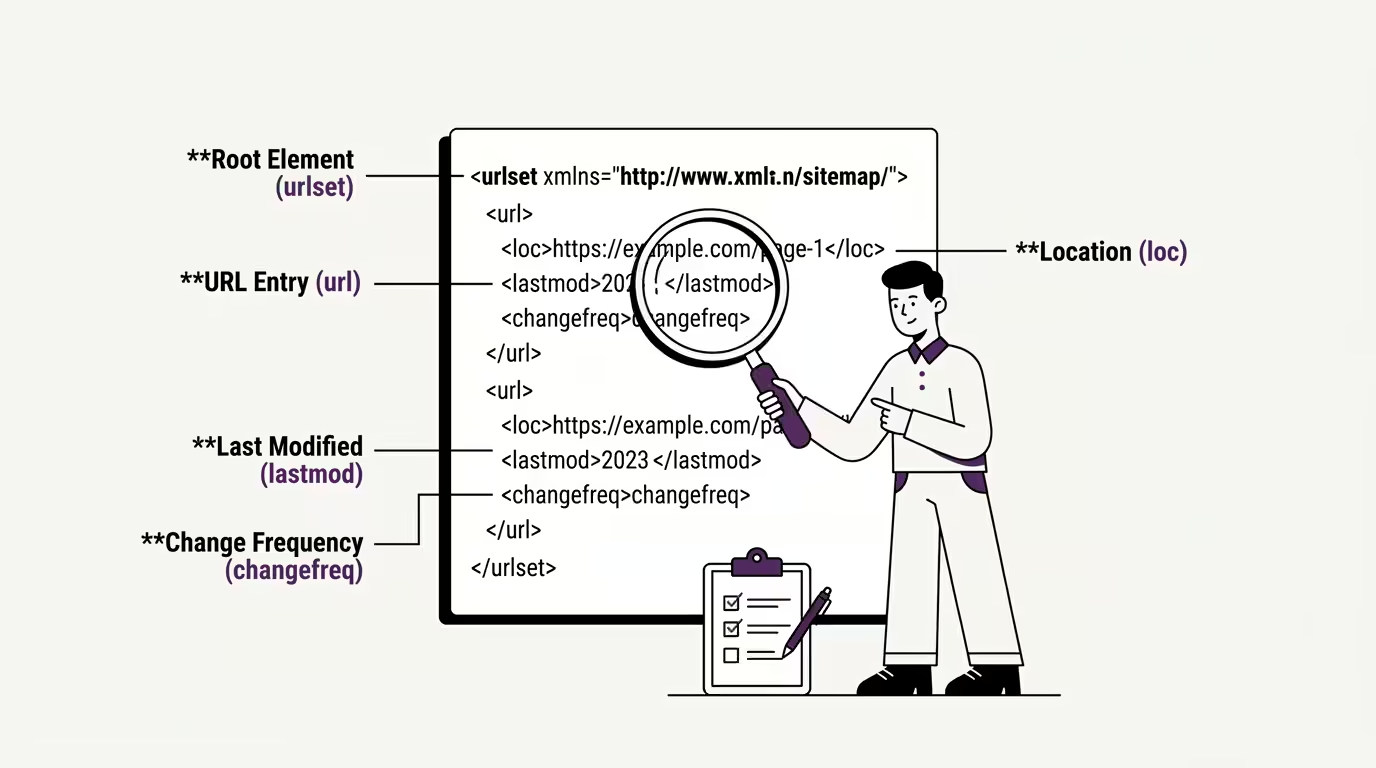
Here’s a working XML sitemap that follows the sitemaps.org protocol exactly. We’ll walk through every line beneath it.
<?xml version="1.0" encoding="UTF-8"?>
<urlset xmlns="http://www.sitemaps.org/schemas/sitemap/0.9">
  <url>
    <loc>https://example.com/</loc>
    <lastmod>2026-05-28</lastmod>
    <changefreq>weekly</changefreq>
    <priority>1.0</priority>
  </url>
  <url>
    <loc>https://example.com/about/</loc>
    <lastmod>2026-04-12</lastmod>
    <changefreq>monthly</changefreq>
    <priority>0.8</priority>
  </url>
  <url>
    <loc>https://example.com/blog/</loc>
    <lastmod>2026-05-29</lastmod>
    <changefreq>daily</changefreq>
    <priority>0.9</priority>
  </url>
  <url>
    <loc>https://example.com/blog/first-post/</loc>
    <lastmod>2026-05-15</lastmod>
  </url>
  <url>
    <loc>https://example.com/contact/</loc>
  </url>
</urlset>
That’s a complete, valid, protocol-compliant XML sitemap. If you saved this file as sitemap.xml on a website and submitted it to Search Console, every search engine that respects the standard would parse it and use it. Let’s break down what each part is doing.
1. Line 1: The XML declaration
The first line is <?xml version="1.0" encoding="UTF-8"?>. This is the XML declaration, and it has to be the first thing in the file. It tells any parser that this document is XML version 1.0 encoded in UTF-8. Both values are required by the sitemaps.org protocol. The version is always 1.0 (XML 1.1 exists but isn’t used for sitemaps), and the encoding must be UTF-8.
If you’ve ever wondered why character encoding gets brought up in sitemap discussions, this is why. The protocol requires UTF-8, and a sitemap with the wrong encoding will be rejected even if everything else is correctly formed.
2. Line 2: The urlset element with namespace
The second line opens the <urlset> element with a namespace declaration. The namespace tells parsers that this is a sitemap file using the sitemaps.org schema, not some other XML document that happens to use similar tag names. The namespace identifier is exactly that string: http://www.sitemaps.org/schemas/sitemap/0.9. It must be that exact string, including the version number, with no trailing slash.
A common mistake is using https instead of http in the namespace declaration. The protocol uses http, even though sitemaps.org itself loads over https today. The namespace identifier is a string used to match against the schema, not a URL anyone actually visits, so the http version is the one the spec uses and the one search engines look for.
3. The url element wrapping each URL
Each URL in the sitemap is wrapped in a <url> element. Everything you want to communicate about a single URL goes inside that wrapper. In our example, we have five separate <url> blocks, one per page.
The <url> element is the container. Inside it, you put the actual URL itself (in <loc>) and optionally any metadata you want to include. The order of elements inside a <url> block doesn’t strictly matter, but most generators output them in the order: loc, lastmod, changefreq, priority. Following that convention keeps your sitemaps readable to anyone who knows the structure.
4. The loc element
The <loc> element holds the actual URL. It’s the only required element inside a <url> block. Without <loc>, the entry is invalid and gets ignored.
A few important rules about what goes in <loc>. The URL must be absolute, meaning it includes the protocol (http or https) and the domain. Relative URLs are not allowed. The URL must be on the same host as the sitemap file itself, unless you’ve cross-submitted it through Search Console. Special characters must be properly escaped, so an ampersand becomes &, a less-than sign becomes <, and so on. The URL must follow RFC-3986, the URI standard, which in practice means no spaces, no unencoded special characters, no broken structure.
5. Optional elements: lastmod, changefreq, priority
The other three elements inside a <url> block are all optional. The first URL in our example uses all three. The fourth URL uses only <lastmod>. The fifth URL uses none at all, just the bare minimum <loc>.
This range is realistic. Real sitemaps from real sites have variable metadata. Some entries are fully decorated. Some are sparse. The protocol accepts both. We’ll cover what each of these optional elements actually does, and what search engines actually pay attention to, in the next lesson.
For now, the things to notice in the example are: <lastmod> takes a date in ISO 8601 format (YYYY-MM-DD), <changefreq> takes one of a few predefined values like “weekly” or “monthly” or “daily”, and <priority> takes a number between 0.0 and 1.0.
The minimum required vs the full version
Looking at our example, you can see that two URLs (the fourth and fifth) are valid sitemap entries despite using almost no metadata.
A minimal valid sitemap entry needs only three things: an opening <url> tag, a <loc> element with the URL, and a closing </url> tag. Everything else is optional. The sitemap with only <loc> elements is just as protocol-compliant as the sitemap with all four elements per URL. Search engines accept and use both.
This matters because there’s a persistent myth that you have to fill in every optional field for a sitemap to “work properly”. You don’t. The protocol explicitly makes lastmod, changefreq, and priority optional. Including them when you have reliable data is useful. Inventing values just to fill the fields is worse than leaving them out, because misleading metadata can teach a crawler the wrong things about your site.
The sitemap index file
We covered sitemap index files briefly in Lesson 2: Types of Sitemaps, but with the anatomy fresh in mind, the structure of one is worth seeing too.
Here’s what a sitemap index file looks like:
<?xml version="1.0" encoding="UTF-8"?>
<sitemapindex xmlns="http://www.sitemaps.org/schemas/sitemap/0.9">
  <sitemap>
    <loc>https://example.com/sitemap-pages.xml</loc>
    <lastmod>2026-05-30</lastmod>
  </sitemap>
  <sitemap>
    <loc>https://example.com/sitemap-posts.xml</loc>
    <lastmod>2026-05-29</lastmod>
  </sitemap>
  <sitemap>
    <loc>https://example.com/sitemap-products.xml</loc>
    <lastmod>2026-05-28</lastmod>
  </sitemap>
</sitemapindex>
The structure mirrors a regular sitemap, with two key differences. First, the root element is <sitemapindex> instead of <urlset>. Second, each entry inside is wrapped in a <sitemap> element (singular) rather than a <url> element, and the <loc> inside points to another sitemap file, not a page URL.
Sitemap index files are used when a site has more than 50,000 URLs or when its sitemap exceeds the 50MB limit we covered in the last lesson. Each entry in the index references another sitemap file, and search engines follow each reference to read the actual URL lists.
WordPress sites typically use sitemap index files even when they don’t strictly need to. Yoast and Rank Math both generate a sitemap index by default, with separate sub-sitemaps for posts, pages, categories, and so on. This is useful for organising large sites and makes the structure easier to debug when something goes wrong with one section. If you’ve ever visited a WordPress site’s /sitemap.xml and seen a small list of sub-sitemap URLs rather than the page URLs themselves, that’s a sitemap index file in action.
What good and bad XML sitemaps look like
Now that you can read one, here are a few quick markers of a well-built XML sitemap versus a sloppily built one.
A good sitemap has consistent formatting across entries, valid XML throughout (no missing close tags), absolute URLs everywhere, the correct namespace declaration, UTF-8 encoding, and a sensible set of URLs (no admin pages, no thank-you pages, no broken or 404 URLs).
A bad sitemap typically has one or more of these issues: relative URLs, mixed http and https inconsistently, the wrong namespace or no namespace at all, special characters that weren’t properly escaped, URLs that return 404 errors, or URLs blocked by robots.txt. We covered the robots.txt conflict in Lesson 4: Sitemap vs Robots.txt.
You can audit your own sitemap by opening it in a browser, just navigate to /sitemap.xml on your domain. If it renders as readable XML with proper formatting, the structure is probably sound. If it shows an error, refuses to parse, or displays as raw unformatted text, something’s off and worth investigating before Search Console flags it for you.
Where this leaves us
You can now read an XML sitemap. You’ve seen the structure top to bottom, the namespace declaration, the url elements, the loc requirements, the optional metadata, and the way sitemap index files extend the same shape. That’s everything you need to look at any sitemap on the web and understand what’s going on.
The loc element is straightforward. The optional elements (lastmod, changefreq, priority) each have their own rules, their own gotchas, and their own surprising bits of behaviour that affect how search engines actually use them. In the next lesson, we look at what each of those elements actually does, paying particular attention to the optional ones that produce most of the confusion and most of the misuse in real sitemaps.
Up next: What Each XML Sitemap Element Does →
This is Module 1: Lesson 7 of The Sitemap Series, a Technical SEO series on sitemaps from first principles, built for the AI Search era.