

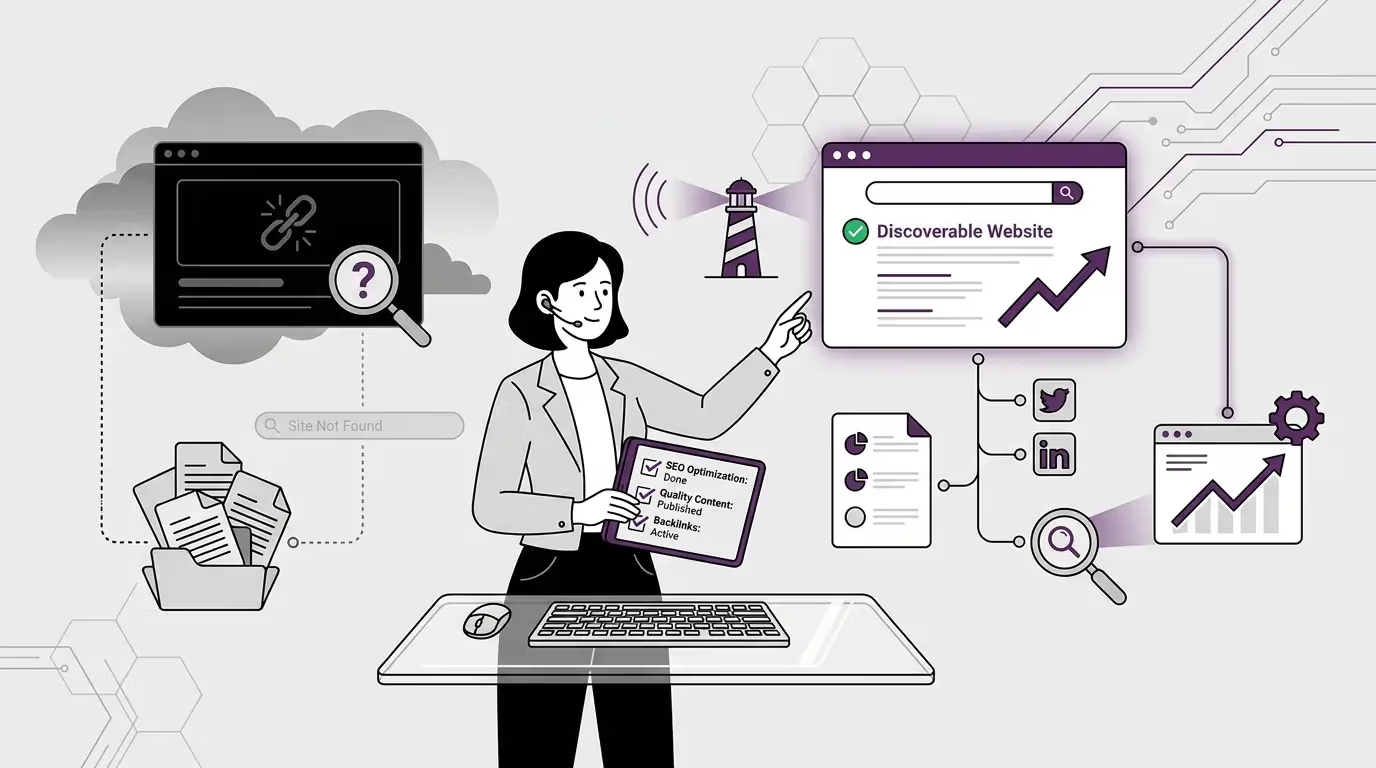
Some sites are everywhere. Others stay invisible no matter what they publish. The difference is almost never about content quality. It is about whether the engines that decide who gets seen could find the site in the first place.
This is the foundational layer of technical SEO, the one underneath everything else. If your content does not get discovered, it cannot be understood. If it cannot be understood, it cannot be cited. The entire stack rests on this one technical question: when Google, ChatGPT, Perplexity, Gemini, Claude, or AI Overviews go looking for sources to read, can they find yours?
For most sites, the honest answer is partly no, often without the owner realising it. The defaults of WordPress, the toggles in SEO plugins, the settings in hosting panels, and the configuration of robots.txt files have all been calibrated for an older version of the internet. AI Search has introduced a second discovery layer alongside the traditional one, and most sites are still optimised for only the first.
This article walks through how discovery actually works in the AI search era, why so many sites quietly block themselves from being found, and what to fix to make your content discoverable across both the search engines you know about and the AI engines that increasingly decide visibility.
The two discovery layers
For twenty years, technical SEO had one job at the discovery layer: make sure Googlebot could find, crawl, and index every page that mattered. The mechanics were well-documented. Submit an XML sitemap. Keep robots.txt clean. Avoid orphan pages. Set proper HTTP status codes. Most sites that got the basics right showed up in Google’s index within days or weeks of publishing.
That layer still exists and still matters. Googlebot is still the most important crawler on the open web. Bingbot is still relevant, especially because ChatGPT’s browsing uses Bing-style retrieval. The traditional discovery work is not going away.
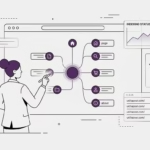
But there is now a second layer running alongside it.
AI engines have their own crawlers. GPTBot fetches content for OpenAI. Google-Extended fetches content that informs Google’s Gemini and AI Overviews. CCBot is Common Crawl, the open dataset that powers Anthropic’s Claude, parts of Perplexity’s retrieval, and many other AI systems. ClaudeBot fetches content directly for Anthropic. PerplexityBot fetches for Perplexity’s live search.
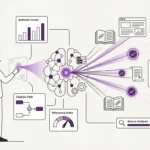

Each of these crawlers operates independently of Googlebot. Allowing Googlebot to access your site does not allow GPTBot. Blocking Googlebot does not block CCBot. The two layers run on separate permissions, separate schedules, and separate algorithms for what they prioritise.
This is the bit most sites miss. They optimise carefully for the first layer and ignore the second, then wonder why their content does not show up in AI engine answers. Or worse, they actively block the AI crawlers through default plugin settings and never realise they have removed themselves from the new discovery pool.
How engines actually find your pages
Before we get into what blocks discovery, it helps to understand how engines find pages in the first place. There are five main paths, and your site needs to be discoverable through at least one of them, ideally several.
1. Following links
The oldest and still the dominant discovery method. Engines crawl the web by following hyperlinks from one page to another. A page that no other page links to is structurally invisible to a crawler that has never heard of it. This applies inside your own site (internal linking) and across the broader web (backlinks from other sites).
Pages without internal links pointing to them are called orphan pages. They might exist; they might be brilliant, but if nothing on your site links to them, Googlebot has no way to find them through normal crawling.
2. XML sitemaps
A sitemap is a structured file (usually at /sitemap.xml or /sitemap_index.xml) that explicitly lists every URL on your site you want engines to know about. Submitting your sitemap to Google Search Console and Bing Webmaster Tools is the most reliable way to ensure your content is discovered, especially for newer sites with few backlinks.
Most SEO plugins (Yoast, Rank Math, AIOSEO) generate sitemaps automatically. The questions worth asking are whether the sitemap is being submitted, whether it is up to date, and whether the URLs listed are actually accessible to crawlers.
3. Direct submission tools
Google Search Console has a URL inspection tool that lets you submit individual pages for crawling. Bing has a similar tool. These are useful for nudging engines to discover specific pages quickly, especially time-sensitive content or pages you have just published.
These tools are not a substitute for proper sitemap and internal linking discipline. But they are useful for getting around the wait time when engines have not crawled your site recently.
4. Citations and backlinks
When another site links to one of your pages, every crawler that visits that other site discovers the link. This is how external discovery happens. A single link from a high-authority site can introduce your URL to dozens of crawler systems simultaneously.
This works for the AI discovery layer too, with one nuance. Common Crawl (and therefore Claude, parts of Perplexity, and other systems built on Common Crawl data) discovers pages by following links it sees in its existing crawl. So a backlink on a site that Common Crawl indexes deeply is also a discovery path into the AI ecosystem.
5. llms.txt (the emerging standard)
This is new and worth understanding because it is becoming the curated discovery path for AI engines specifically.
The llms.txt file, placed at the root of your domain (like robots.txt), lists the URLs you most want AI engines to know about, often with brief descriptions of each. It is not yet universally supported, but the major AI labs have signalled intent to use it, and early adopters are already seeing benefits in AI engine citation.
Think of llms.txt as the AI-era version of an XML sitemap, but curated rather than exhaustive. Instead of listing every URL on your site, you list the ones you consider most important and most worth retrieving for AI answer generation.
How sites quietly block themselves
The most common reason a site does not get discovered is not that engines failed to find it. It is that the site silently blocked them, often through a setting the owner did not realise was active.
These are the self-inflicted wounds I see most often.
- robots.txt blocking AI crawlers. Many SEO plugins, including Yoast Premium’s recent versions, offer toggles to block AI bots (GPTBot, Google-Extended, CCBot). These are pitched as performance and privacy features. They are also the single fastest way to remove yourself from the AI discovery pool. If you have not deliberately enabled these blocks, double-check that they are off.
- Noindex meta tags on pages you want discovered. This is a Yoast or Rank Math setting that gets accidentally toggled when you mark a page as “not in sitemap” or set its meta robots tag manually. Pages with
<meta name="robots" content="noindex">will be crawled but never indexed. They become invisible in search results.
- Authentication or paywalls in front of content. If your content requires a login to view, most crawlers cannot access it. There are mechanisms for handling paywalled content in a crawler-friendly way (flexible sampling, structured data tags), but they require deliberate setup.
- JavaScript-rendered content that crawlers struggle with. Google has gotten better at rendering JavaScript, but it still treats JS content as second-class. AI crawlers vary in their JavaScript handling, and many do not render JS at all. Content that only appears after client-side rendering is at risk of being invisible.
- Server-level IP blocks. If your hosting provider’s web application firewall blocks certain user agents or IP ranges, it can accidentally block crawlers. This is more common than you would expect, particularly on shared hosting. Crawlers from less-recognised services (smaller AI engines, niche search tools) are most at risk of being blocked by overzealous security rules.
- Sites that are too slow to crawl efficiently. Google has a concept called ‘crawl budget’: the amount of time and resources Googlebot is willing to spend on your site per visit. Slow sites get a smaller crawl budget, which means fewer pages discovered per session, which means new content takes longer to appear in the index. AI crawlers operate on similar principles.
- Orphan pages with no internal links. Pages that no other page on your site links to are functionally invisible to link-following crawlers. You can have a sitemap entry for them, but discovery is much less reliable than for pages with strong internal linking.
- Subdomains and isolated content. Content on subdomains (blog.yoursite.com versus yoursite.com) is treated as a separate site for many crawling purposes. If your main site has authority but your blog subdomain has none, the blog’s content has to earn its own discovery from scratch.
Why traditional crawl signals are not enough on their own
Most technical SEO advice on the open web is calibrated for the traditional discovery layer: Googlebot, robots.txt, sitemaps, internal linking, and crawl budget. All of this is still important. But two things have changed in the AI search era that the older playbook does not address.
The first is that AI crawlers operate independently. A site that ranks first on Google has done none of the AI discovery work by virtue of ranking. The two layers do not share permissions, do not share crawl scheduling, and do not share user-agent identifiers. Optimising one does not optimise the other.
The second is that AI engines retrieve from a much smaller candidate pool per query than Google does per ranking. Google might surface ten or twenty results. An AI engine picks two or three sources to cite. The competition for discovery on the AI layer is fiercer per slot, even though the total pool of indexed content overlaps significantly.
This is why I argue the discovery work needs to be done twice now. Once for the traditional engines, again for the AI engines. The technical mechanics overlap (robots.txt rules, sitemaps, internal linking), but the audience for those mechanics has doubled.
What to do, practically
If your site is suffering discovery issues, here are the actions that move the needle, in roughly the order I would tackle them on a new or existing site.
- Audit your robots.txt. Open https://yoursite.com/robots.txt in a browser. Look for any disallow rules targeting GPTBot, Google-Extended, CCBot, ClaudeBot, PerplexityBot, or generally any AI-related user agent. If you see them and you have not deliberately put them there, remove them. They were probably added by a plugin’s default.
- Verify your sitemap is reachable. Open https://yoursite.com/sitemap.xml (or wherever your plugin places it). Confirm it loads cleanly, lists current content, and is submitted to Google Search Console and Bing Webmaster Tools. Many sites have sitemaps that exist but were never submitted, which means engines only find them by accident.
- Implement llms.txt. Create a plain text file at https://yoursite.com/llms.txt that lists your most important URLs and gives a brief description of what each contains. Format examples are documented at llmstxt.org. This is not yet a universal standard, but the cost of implementing it is small, and the early upside is real.
- Set up and check Google Search Console regularly. GSC will tell you which pages have been crawled, indexed, or rejected, and why. The Coverage report and the URL Inspection tools are your best diagnostic instruments for discovery issues. If you do not have GSC set up, this is the highest priority technical task on your list.
- Strengthen internal linking. Every important page on your site should have at least three internal links pointing to it from other pages. Orphan pages should be hunted down and either linked to or removed. A good internal linking structure both improves discovery and signals topical authority to engines.
- Maintain consistent and accessible URLs. Avoid moving URLs without 301 redirects. Avoid trailing-slash inconsistencies (yoursite.com/page versus yoursite.com/page/). Pick a URL structure and stick to it. Every URL change is a discovery problem in disguise.
- Get your site speed in order. Core Web Vitals (LCP, INP, CLS) are not just user experience metrics. They affect how often and how deeply engines will crawl your site. Slow sites get crawled less, which means new content takes longer to be discovered.
- Earn backlinks from relevant, indexed sites. Backlinks from established sites do double duty: they pass authority, and they introduce your URLs to crawlers that already have those sites in their index. A single link from a Wikipedia article, a major industry publication, or a high-authority blog can accelerate discovery dramatically.
- Use direct submission for high-priority content. When you publish something time-sensitive or important, do not just rely on natural discovery. Use Google Search Console’s URL Inspection tool to manually request indexing. This is also useful when you have updated a page significantly and want the changes recognised quickly.
What not to do
A few common mistakes that quietly damage discovery without being obvious.
- Do not block AI crawlers by default. Worth saying twice because it is the most common silent self-sabotage. Yoast Premium, several caching plugins, and various WordPress security plugins all ship with options to block AI crawlers. The defaults vary by plugin, but if you have not explicitly checked, assume something is blocked and verify.
- Do not rely on social media as a discovery channel. Social signals do not feed search and AI crawlers directly. A post that goes viral on LinkedIn or X does not automatically get indexed faster. The discovery still has to happen through traditional crawling, sitemaps, or backlink paths. Social is good for human attention, not for engine discovery.
- Do not use JavaScript for navigation or essential content. If a crawler has to render JavaScript to discover your links or read your content, you are gambling on the rendering being fast enough and complete enough to count. Server-rendered HTML or static rendering is more reliable.
- Do not have multiple URLs for the same content without canonical tags. Duplicate URLs (with parameters, with or without trailing slashes, with different capitalisations) all consume crawl budget and dilute discovery signals. Use canonical tags to point engines at the version you want indexed.
- Do not ignore HTTP status codes. A page returning 200 OK is discoverable. A page returning 301 redirects to the new location. A page returning 404 tells engines to forget about it. A page returning 5xx server errors tells engines to come back later. Misconfigured status codes (404 for a page that still exists, 200 for a page that was deleted) confuse discovery and slow down crawling. Audit your status codes periodically with tools like Screaming Frog.
Closing the loop
This is the first job in the three-job thesis the library is built around. Before your content can be understood, it has to be discovered. Before it can be cited by AI engines, it has to be in their index. Discovery is the gateway, and most sites are leaking through that gate without knowing.
The fixes are not exciting. They are robots.txt audits, sitemap submissions, llms.txt implementation, internal linking discipline, and HTTP status code hygiene. None of it photographs well. All of it compounds.
The publications that get found today are the ones that have done the dual-layer work. They are accessible to Googlebot and friendly to GPTBot. Their sitemaps are submitted to Google Search Console, and their llms.txt is published. Their internal linking is tight, and their orphan pages are pruned. They get crawled often, fully, and across both ecosystems.
The next cornerstone in this series goes one layer deeper, into how engines decide what your site is actually about once they have found it. Discovery without understanding is just text in a database. Understanding is where the entity work happens, where schema, topical authority and knowledge graph attribution start to matter.
If you are figuring this out alongside me, you are in the right place.
Frequently asked questions
A short section of follow-up questions that readers tend to ask after reading the main article.
Should I block AI crawlers to protect my content?
Only if you have a specific reason to, like paywalled content or licensed material under publishing restrictions. For most sites, blocking AI crawlers removes you from the AI discovery pool entirely, which is a far larger cost than the marginal benefit of withholding your content from training data. The realistic trade is: be readable, be cited, get the visibility. Many publishers who blocked AI bots early in the AI Search transition have quietly unblocked them since.
Do I really need an llms.txt file?
You need it more if you publish content you want AI engines to retrieve and less if your audience does not use AI engines yet. Right now, llms.txt adoption is early. Not every AI engine reads it, and the standard is still evolving. But the cost of setting one up is one text file and ten minutes of effort, and the early signals from engines that do read it are positive. Worth doing, even before it is required.
How can I tell if Google is actually crawling my site?
Open Google Search Console and look at the Crawl Stats report under Settings. It shows crawl requests per day, total download size, average response time, and the host status. If crawl requests are dropping or response times are climbing, you have a discovery problem. The coverage report shows what has been indexed, rejected, or excluded and why.
My content is published but not showing up in search. Why?
The most common reasons are: noindex tag accidentally set in Yoast or Rank Math, page not in your sitemap, no internal links pointing to it (orphan page), or the page is too new and Google has not crawled it yet. Use Google Search Console’s URL Inspection tool to check the specific page. It will tell you exactly why the page is or is not indexed.
Does Google Search Console help with AI engine discovery?
Indirectly, yes. GSC is for Google’s index, but content that ranks well on Google is more likely to appear in AI Overviews (which lean heavily on Google’s index), and improved crawlability for Googlebot often improves crawlability for other crawlers too. GSC does not directly affect ChatGPT, Perplexity, or Claude discovery, but the technical health it forces you to maintain (sitemaps, no broken pages, clean URLs) benefits all crawlers across the board.
What is the difference between crawling and indexing?
Crawling is when an engine visits your page and reads its contents. Indexing is when the engine decides the page is worth storing in its database for future retrieval. A page can be crawled without being indexed (if the engine decides it is low quality or duplicate). A page cannot be indexed without being crawled. Discovery issues at the crawl stage are different from quality issues at the indexing stage.
How often do engines crawl my site?
It depends on your site’s authority, freshness, and crawl budget. A small new site might be crawled fully once every few weeks. A large authoritative site might be crawled fully every day or more often. AI crawlers operate on their own schedules, generally less frequently than Google but more aggressively when they do crawl. The exact patterns are not publicly documented for most engines.